New Interface for Best Users
“Simplicity is the ultimate sophistication” — Leonardo Da Vinci
“Simplicity is the ultimate sophistication” — Leonardo Da Vinci
Story and Background of New Fibrous Interface
As Fibrous team, delivering the best price routing has been just as important to us as how we achieve it. On our journey as the first DEX aggregator on Starknet, we’ve consistently focused on this goal and strived to present a platform that offers different and innovative approaches.
In our efforts to transition to the EVM codebase and expand to different networks, we aimed to provide the best DeFi experience to new user groups. To accomplish this, we modularized our core routing technology to scale effectively with new users and their demands. This modularization and scaling effort was developed not only for Fibrous’s tech stack but also to offer a modular design on the frontend, allowing us to add new networks, trading features, and interface functionalities.
In developing the new interface, we based our methods on several key factors:
- User Feedback: We actively listened to the suggestions and feedback from our users to understand their needs and preferences.
- Market Research: We examined dozens (even hundreds) of existing swap interfaces to identify best practices and areas for improvement.
- UX Sessions: We conducted UX sessions with a diverse group of participants, including non-crypto-native researchers and users, to gather a wide range of insights.
These efforts ensured that the updated Fibrous interface is not only technologically advanced but also tailored to provide an optimal user experience.
What’s New?
1. Quick Wallet Preview / Portfolio Tab
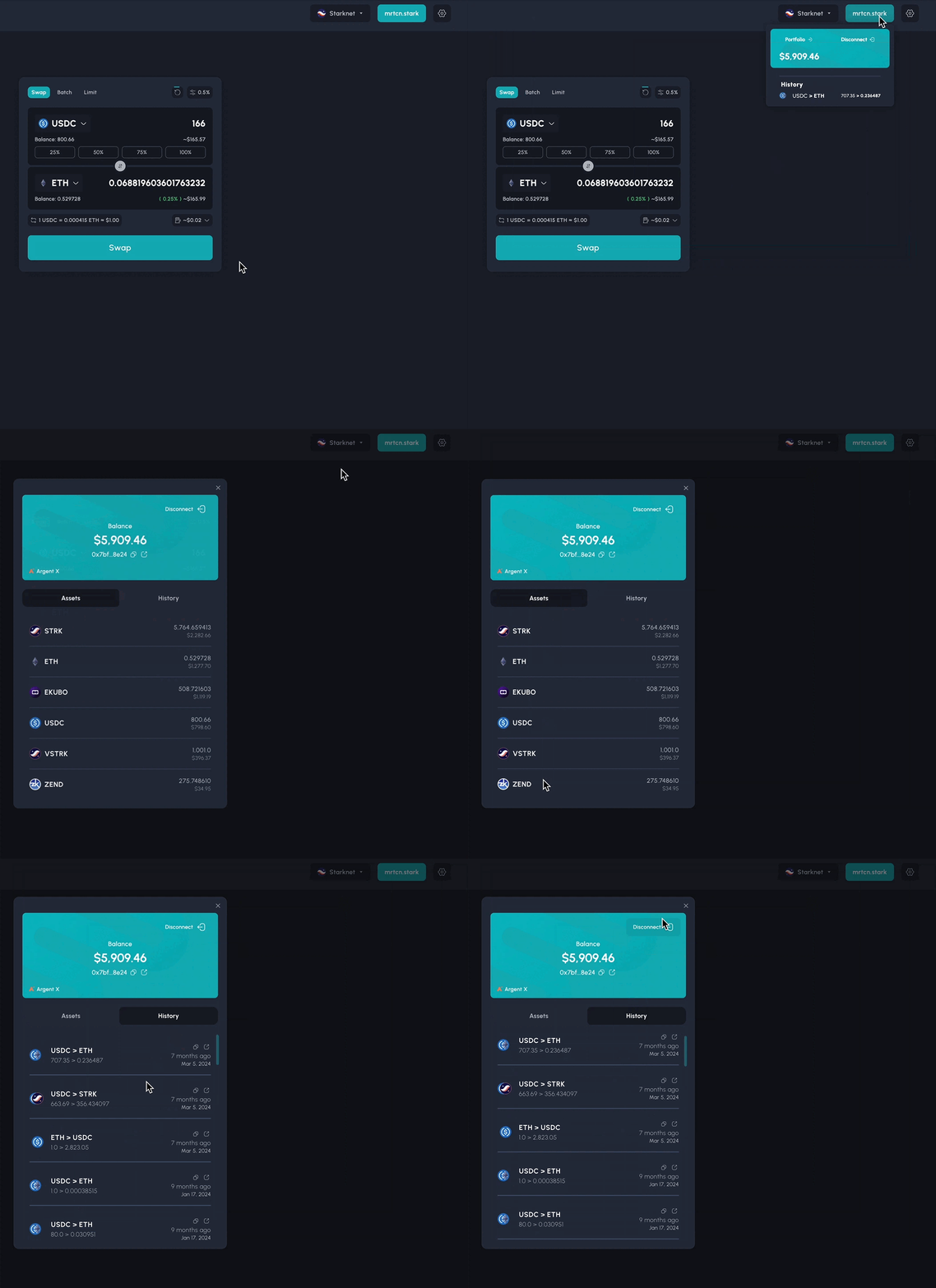
Now, when you hover over your address bar, you’ll get a quick preview that allows you to instantly see your most recent transaction and the coin with the highest balance. This feature provides immediate insights into your portfolio without the need to navigate away from your current screen.
The Portfolio Tab on the Fibrous interface is designed to provide you with a comprehensive snapshot of your trading activities and assets. Its key features include:
- Current Network Balances: It displays all your token balances on the network you are currently connected to, giving you a clear and immediate view of your holdings across different assets.
- Transaction History: The tab provides a detailed record of your past transactions executed on Fibrous. This allows you to track your trading history effortlessly, monitor your activity, and analyze your performance over time.
- Direct Access to Token Contract Addresses: For your convenience, the Portfolio Tab offers direct links to the contract addresses of the tokens in your portfolio. This feature enables quick access to essential token information on block explorers or for use in other applications.
2. Consolidated Trading Options
We’ve grouped the Swap, Batch Swap, and Limit Order options together in one place for easier access. This consolidation streamlines your trading activities, allowing you to switch between different trading features effortlessly.

3. New Route Display
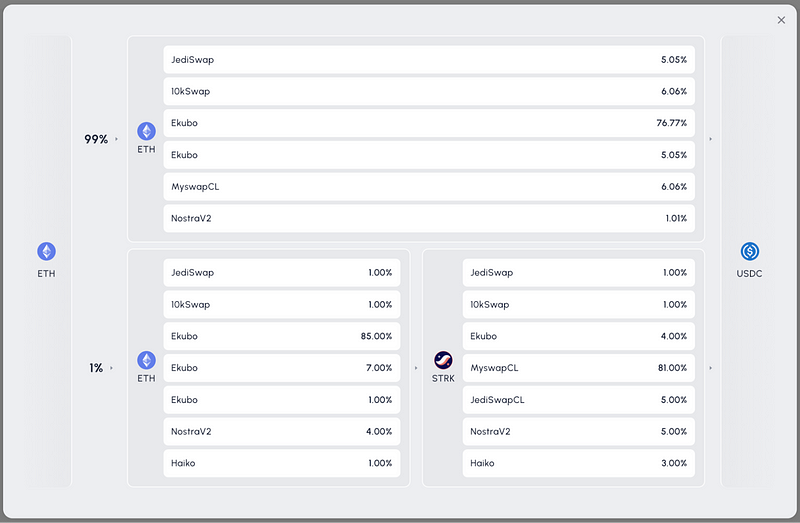
To improve clarity, we’ve replaced token icons in the route display. However, to prevent eye strain and ensure easy access, we’ve provided two different ways for you to view this information. This dual-view approach lets you choose the most comfortable way to see your trade routes.
4. Updated Limit Order Interface
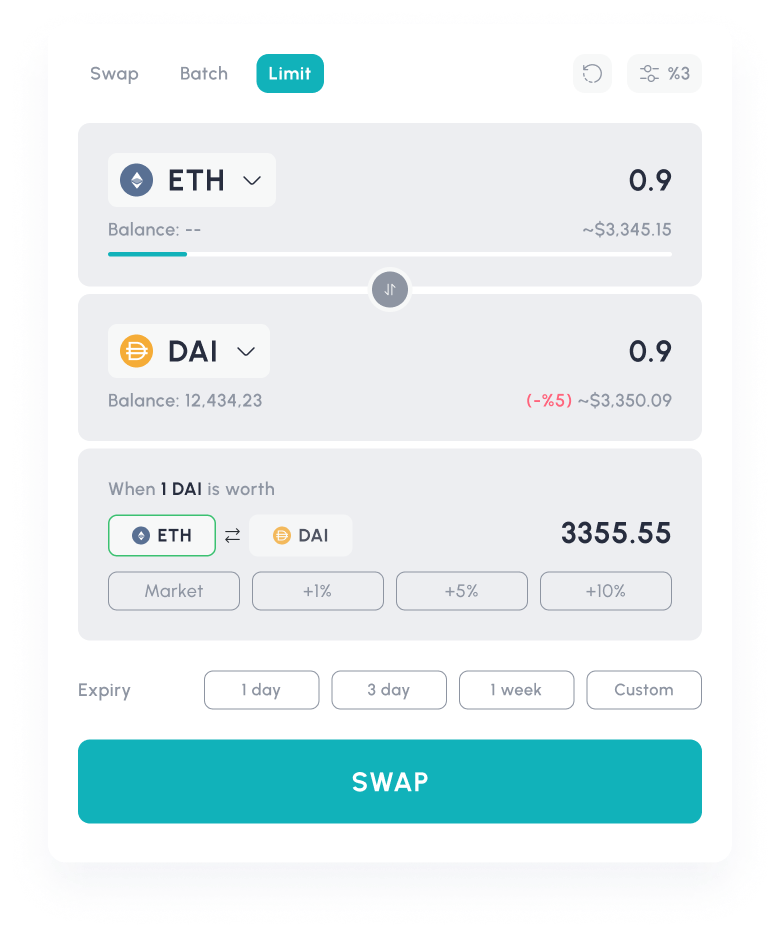
Our Limit Order feature has been updated to align with the latest UX standards, making it more intuitive and easier to use.
- Quick Duration Selection: Within the limit order interface, you can now quickly select predefined durations with a single click. For added flexibility, we’ve included a custom option that allows you to specify any duration you prefer.
- Coming Soon: We’re working on introducing limit order functionalities that meet centralized exchange (CEX) standards, providing you with even more trading options.
5. Instant Fee Visibility
Understanding the costs associated with your trades is crucial. We’ve made it possible for you to see the fees you’ll incur without having to click anywhere else. This transparency helps you make informed decisions quickly.
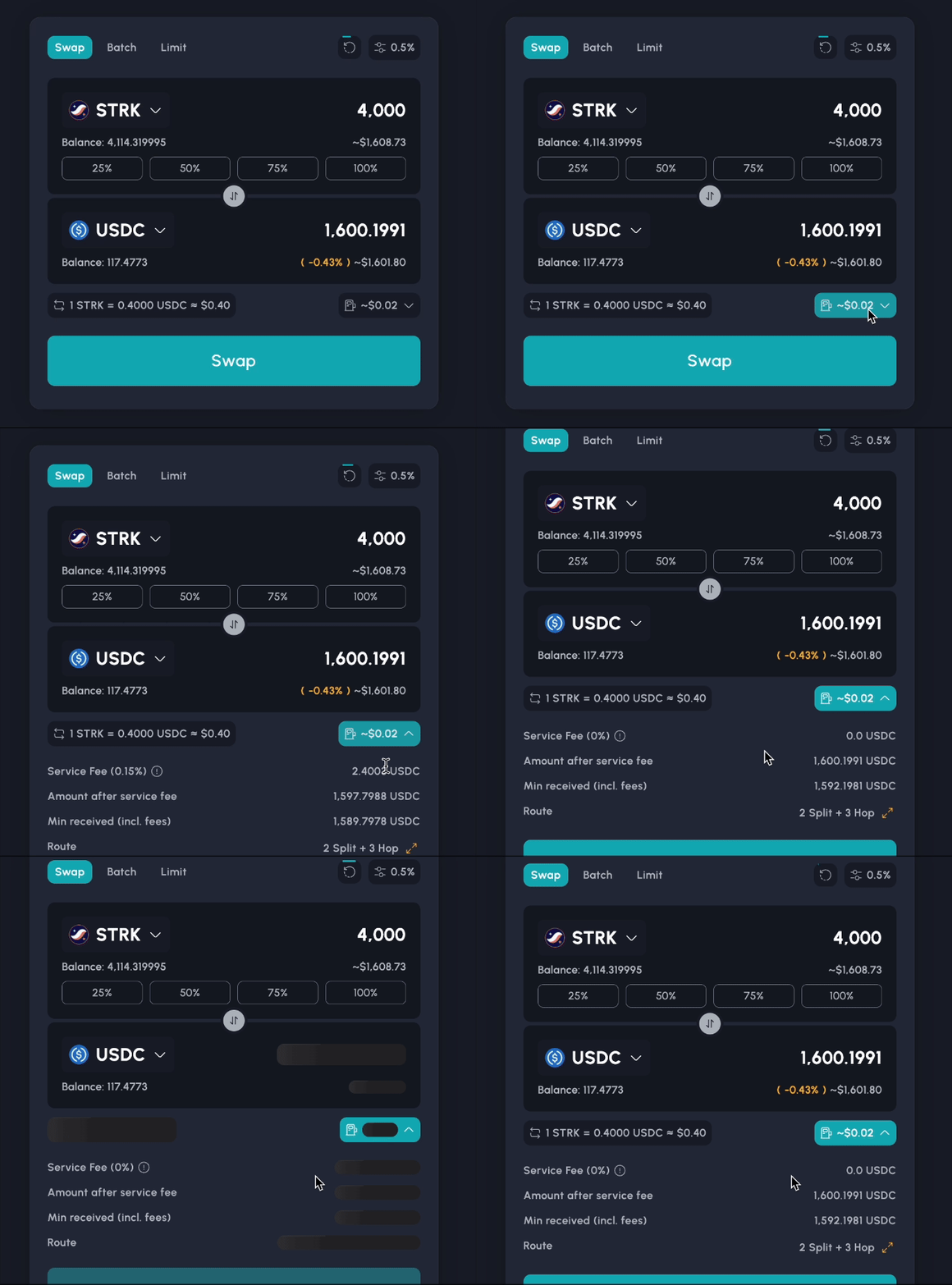
To learn more https://docs.fibrous.finance/fibrous-solutions/fibrous-interface/user-guides/understanding-price-impact-slippage-and-fees
6. Extensive Customization Options
We believe in providing a trading environment that suits your preferences. That’s why we’ve expanded the customization options within the application, allowing you to tailor the interface to your liking.
- Language Selection: Choose from English, Turkish, Russian, and more languages to come.
- Table Display: Customize how information is presented to you in tables.
- Interface Theme Selection: Select your preferred color scheme, with an automatic option available.
- Thousands Separator Preference: Choose your preferred numerical formatting (space, comma, or none) for easier readability.
- Toggle Route Display: Turn the route display on or off based on your preference.
- Percentage Input Options: Select between buttons, sliders, or disable them altogether for inputting percentages.
- Token Information Chart: Access detailed charts displaying token information directly within the interface.
7. Streamlined Send to Another Wallet Option
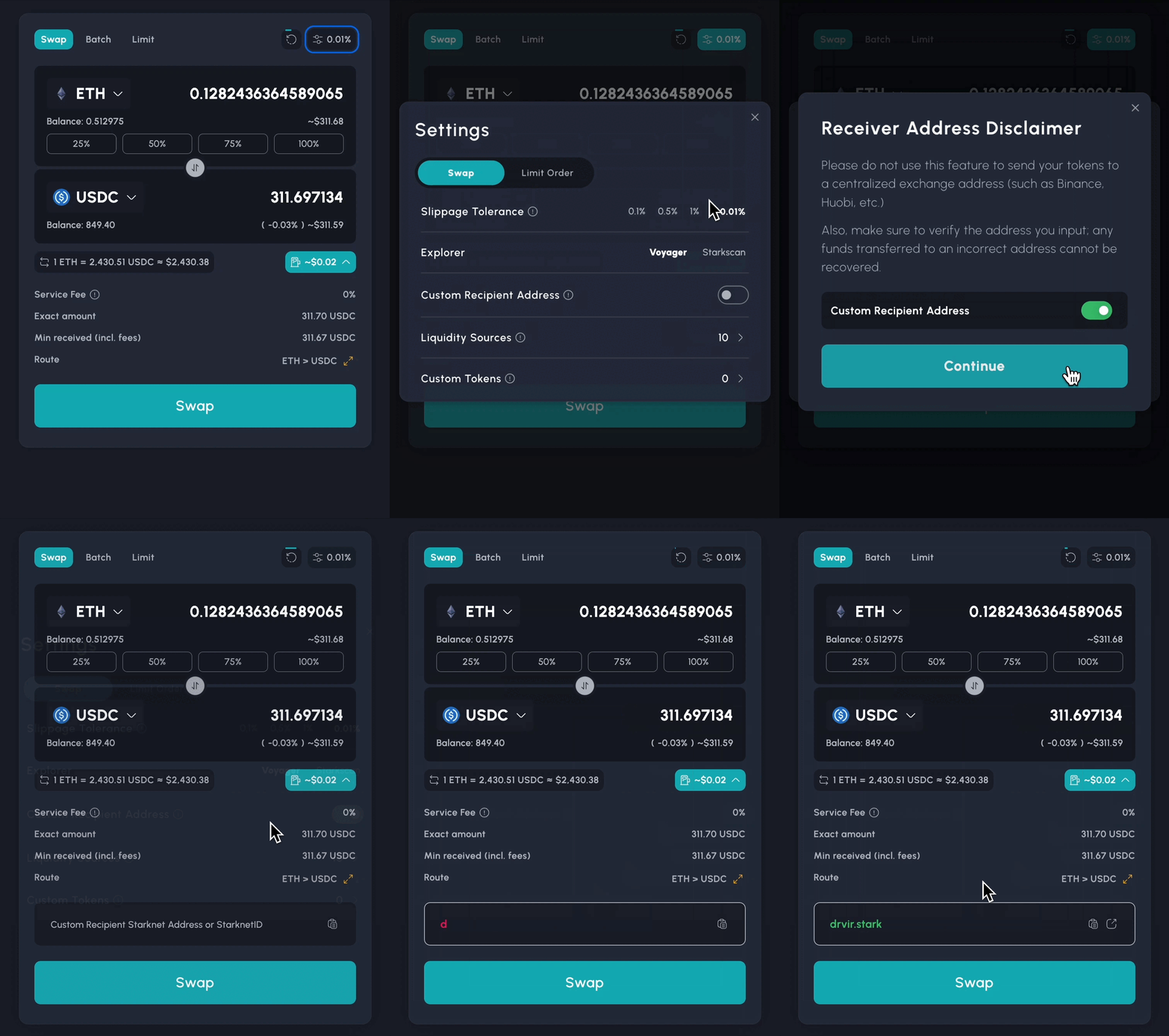
To keep the interface clean and uncluttered, especially with the addition of many new features, we’ve moved the option to send funds to another wallet into the settings menu. This change ensures that the main trading screen remains focused and easy to navigate.
Address Input Safety for Custom Recipient / Another Wallet Option
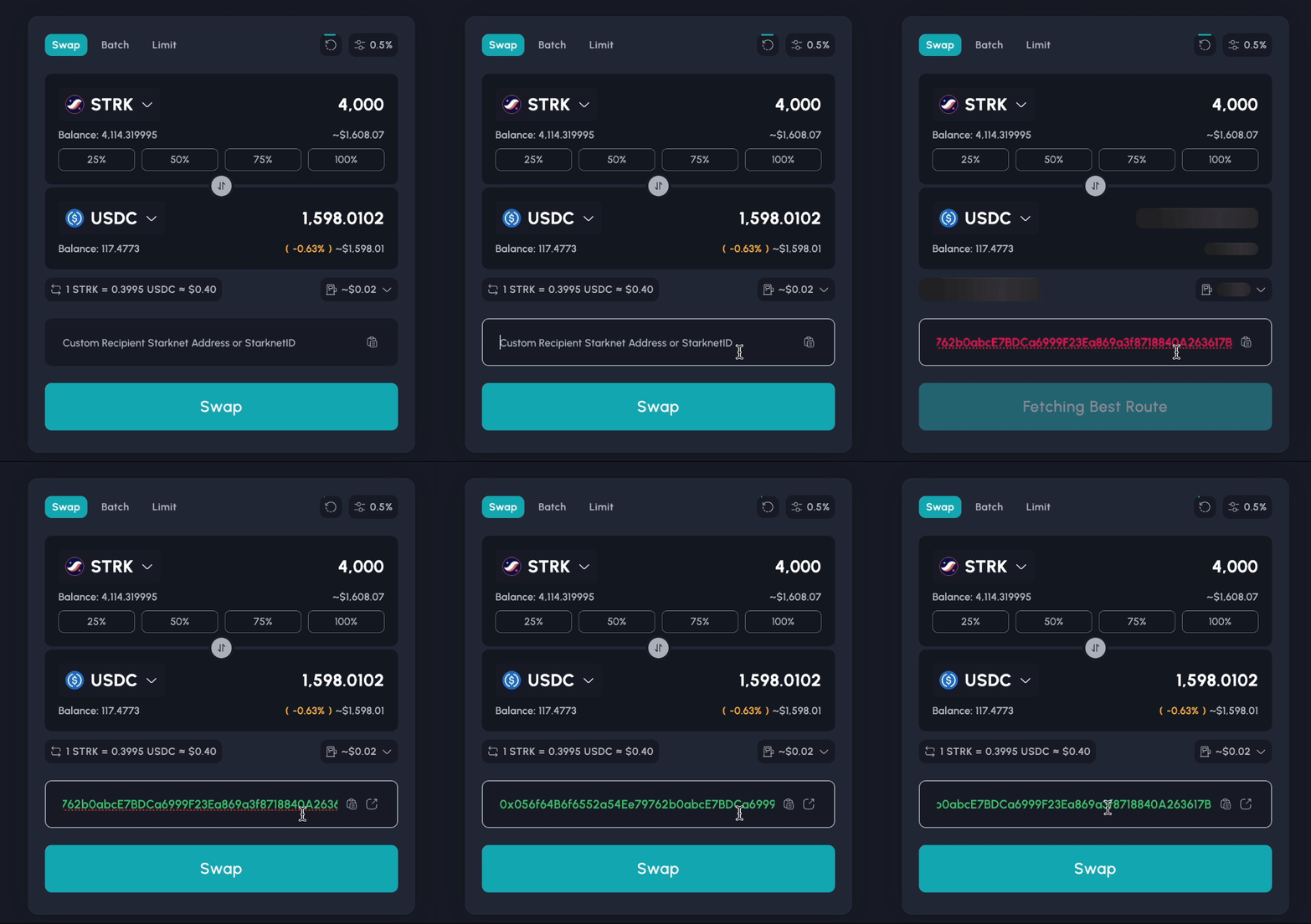
We’ve added color-coded indicators to help prevent mistakes when entering wallet addresses:
- Red: Indicates an incorrect or invalid address.
- Green: Confirms a valid and approved address.
- Gray: Indicates an empty address field.
These visual cues help ensure that your funds are sent to the correct destination.
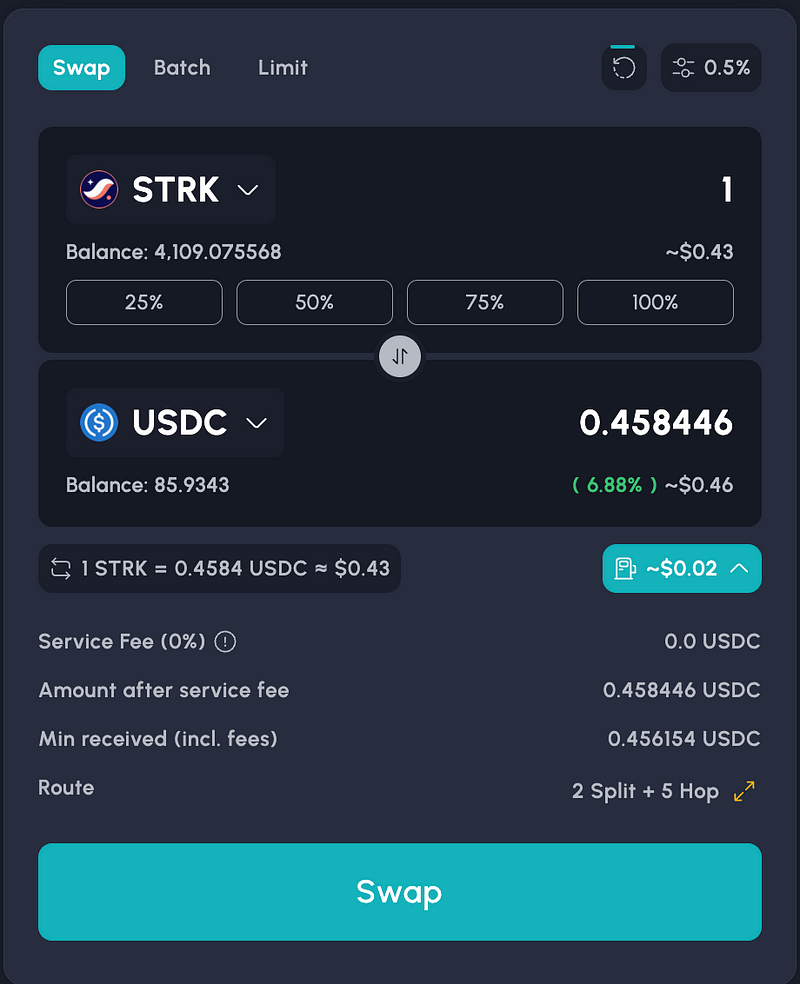
8. Simplified Confirmation Screen
We’ve moved the fee display to the main screen, allowing us to simplify the confirmation screen. This adjustment provides all essential information upfront, making the confirmation process quicker and more straightforward.
9. Improved Custom Token Selection
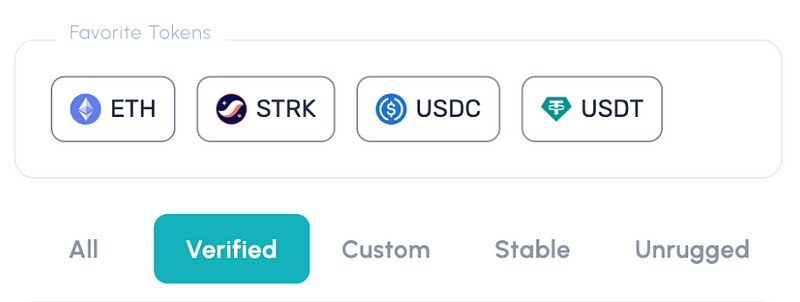
To help you find the tokens you want more easily, we’ve introduced grouping in the token selection screen. Tokens are now organized into categories as custom, stable, verified and unrugged for saving time for you!
10. Personal Token Management
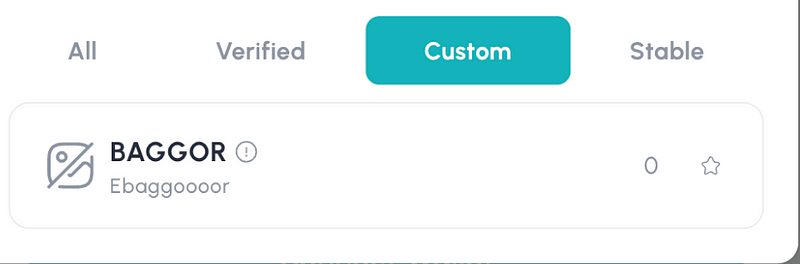
We’ve relocated the section where you can view and manage the custom tokens you’ve added. This feature is now positioned within the settings menu, giving you a dedicated space to oversee your personalized token list.

11. Instant Price Updates
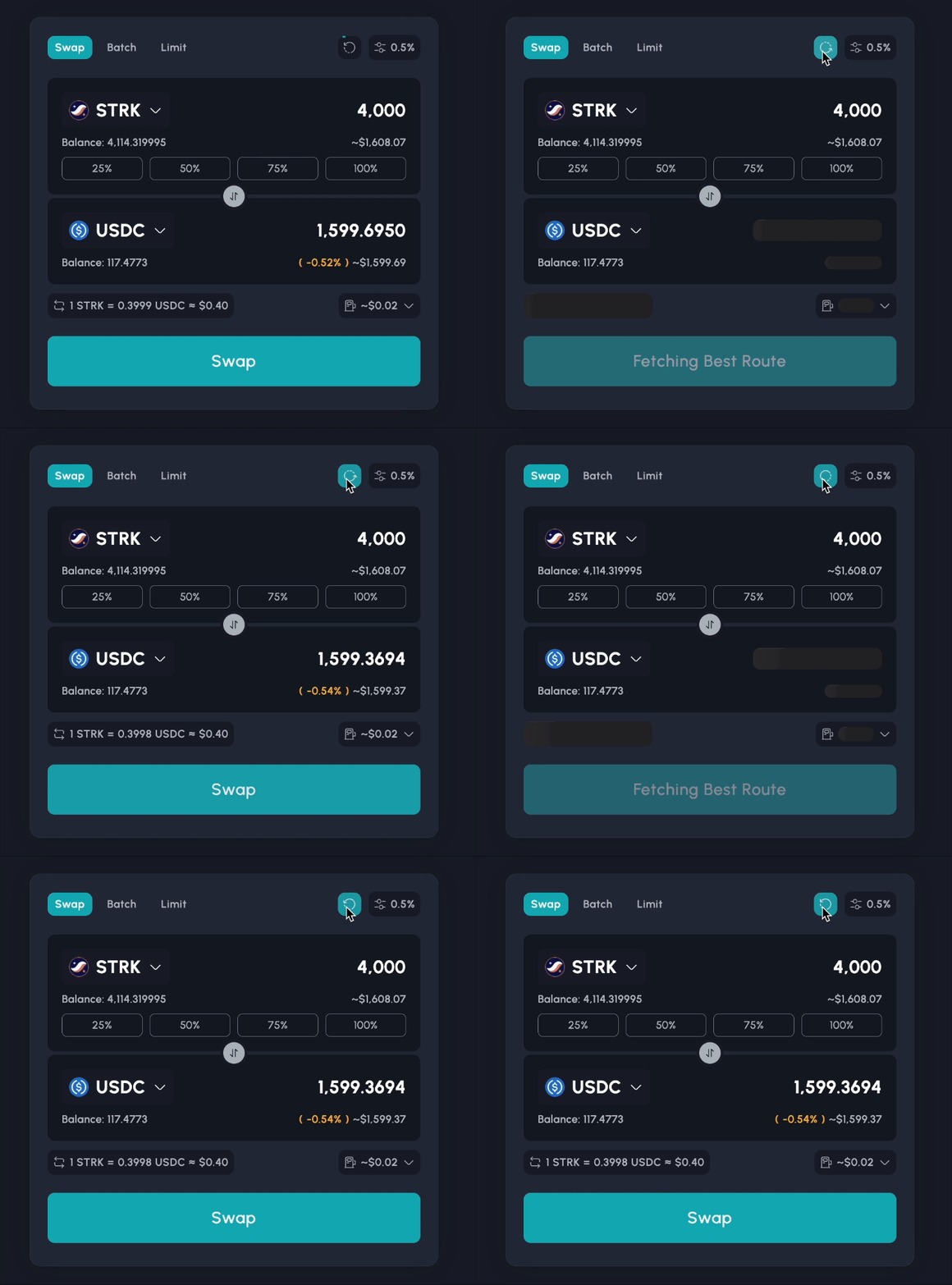
While we update prices every 15 seconds to provide you with the latest market information, we understand that sometimes you need the most current data immediately. For those in a hurry, we’ve added a new button that allows you to refresh prices instantly.
12. Improved Batch Swap Interface
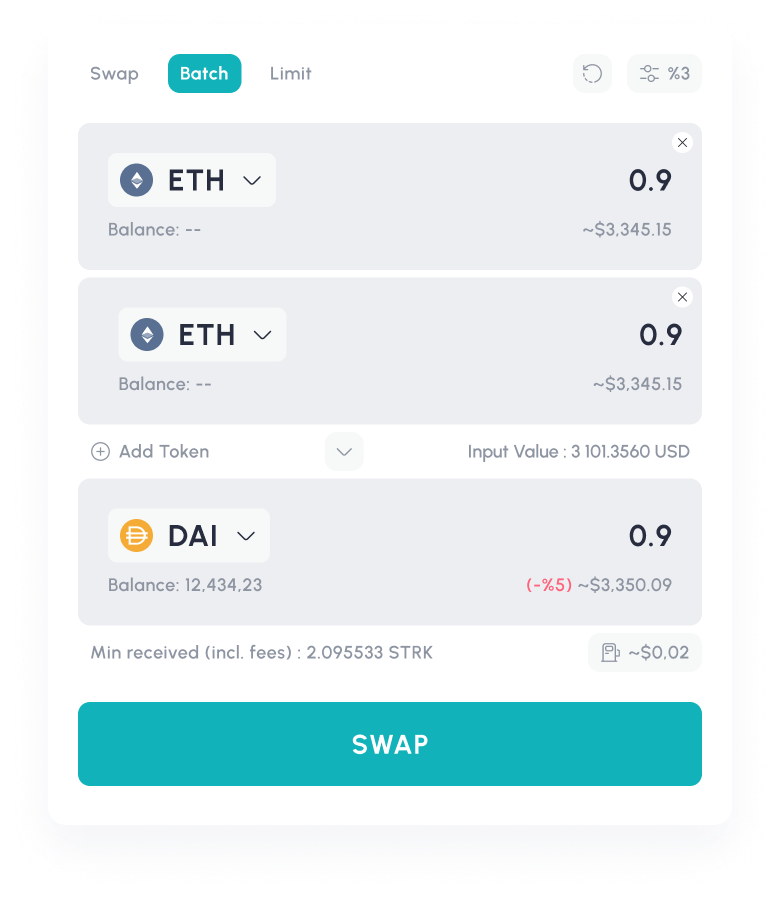
To make the use of Batch Swap more intuitive, we’ve redesigned its interface to resemble the standard swap screen. Additionally, we’ve added the total dollar value next to the token addition area, giving you a clear overview of your trade’s total value.
Looking Ahead: Continuous Evolution for Fibrous Interface
Of course, this is not the end. As Fibrous continues to develop, the platform environment in which it operates will also evolve, becoming part of a continuous cycle of change. Therefore, we will be conducting our UI/UX research from a broader perspective to integrate Fibrous into an environment capable of onboarding millions of new users.
At the same time, we’ve added “Feature Request” and “Bug Report” widgets to app.fibrous.finance, which will allow us to indirectly evaluate feedback from our users. These tools provide us with valuable insights into your experiences and needs, enabling us to make continuous improvements based on real user data.
Experience the New Fibrous Interface Today
We invite you to explore these new features and improvements on the Fibrous platform. Our goal is to provide you with a seamless and efficient trading experience, and we believe these updates bring us one step closer to that vision.
As always, we value your feedback. If you have any suggestions or comments about the new interface, please don’t hesitate to reach out to our team.
GO => https://app.fibrous.finance/
Get in touch with us
Website: fibrous.finance
X: Fibrous
Discord: Fibrous
Mail: contact@fibrous.finance